In the report of your Trips Timeline you are able to overview a closing trips registration per car.
Go to: https://www.getgekko.com/en/reports/trips/
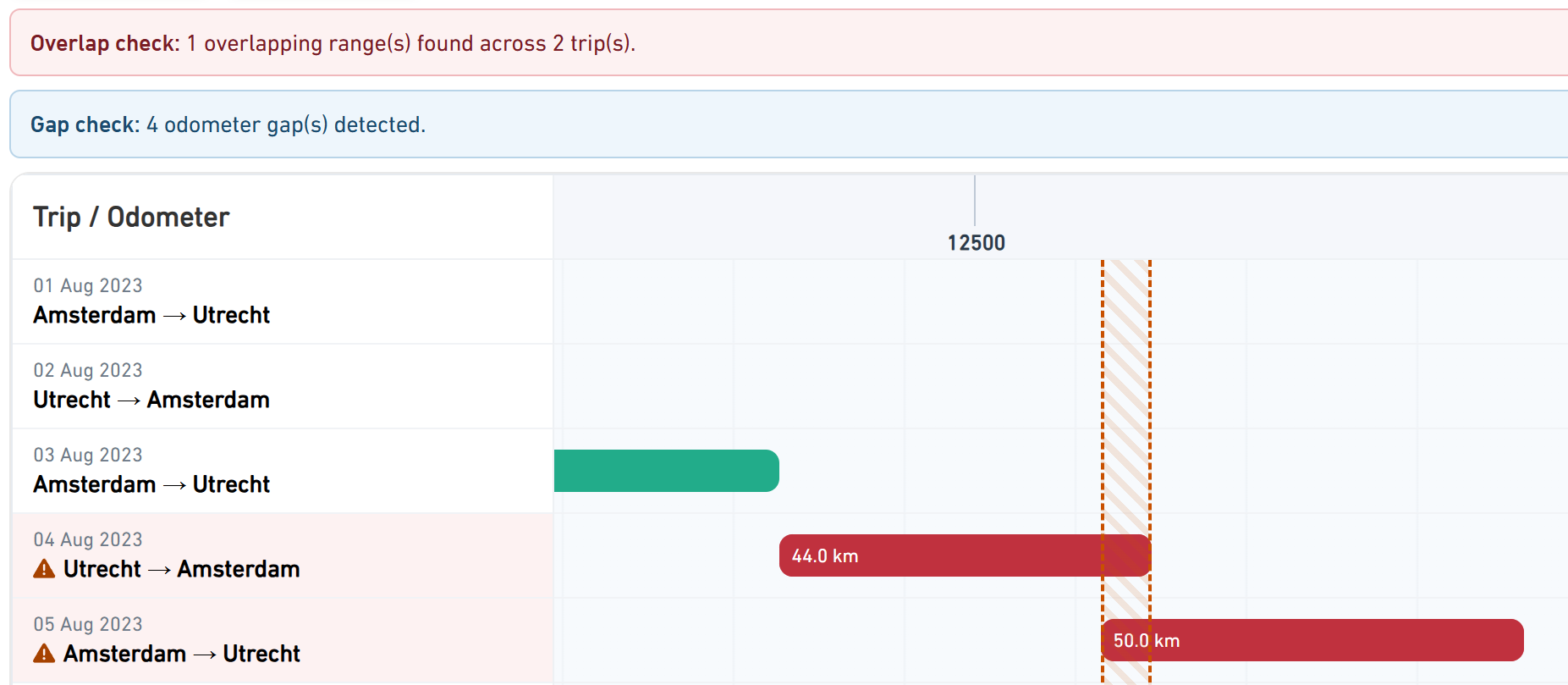
This trip timeline overview will let you see if there is a gap in the odometer and to adjust it accordingly. In addition, the timeline will also show if there are overlapping trips, which can then also be adjusted.
On the trips report page you are also able to download the filtered trips in an Excel file. Select the filters of the period and the car and click on the download button in the top right.
After initiating a download you will be redirected to the Downloads page. For basic users the download takes 5 minutes, for Premium users and accountants the download is instant. Click on the refresh button to update the status of the download.
Was this article helpful?
That’s Great!
Thank you for your feedback
Sorry! We couldn't be helpful
Thank you for your feedback
Feedback sent
We appreciate your effort and will try to fix the article